Anywhere Options
Administrators can set Anywhere options for a Work Group or Site.
What do you want to do?
Tasks in this Topic Include:
Related Tasks:
- Set Up Monet
- Shift Profiles
- RTA Configuration
- Break Settings
- Set Global Options
- Status Alerts
- Scheduled Reports
- Supervisors
- Time Off Manager Rules
- Reminders
- Shift Swapping Options
- Change Password
Set Anywhere Options
To set general options for a Work Group:
- Select Anywhere Options in the left-navigation menu.
- Select the Work
Group to apply the options to from the drop-down menu.
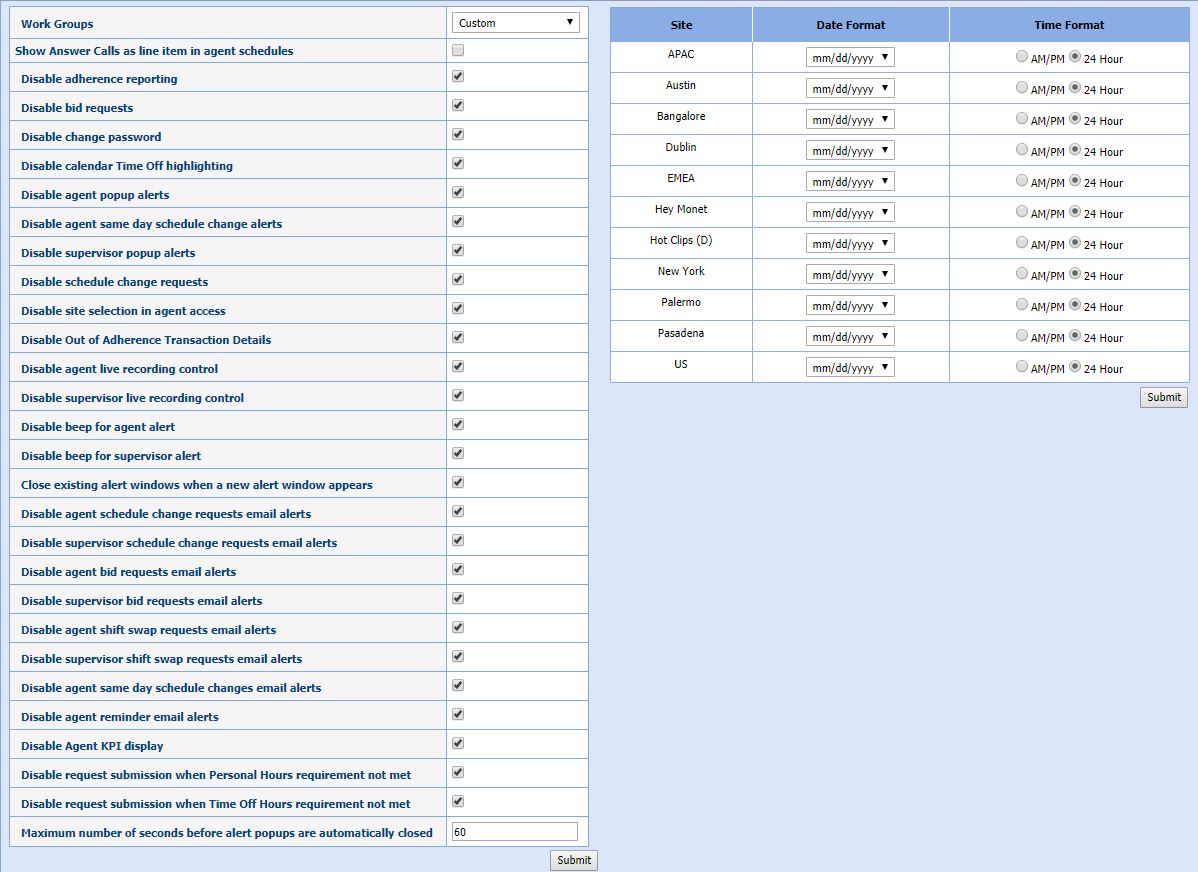
- Select an option(s) to apply to the Work Group by selecting the check box.
- Enter the maximum number of seconds that alert pop-ups are displayed before automatically closing.
- Select Submit.
- Set the Date Format and Time Format for each Site.
- Select Submit.
Enable/Disable Submit Anyways
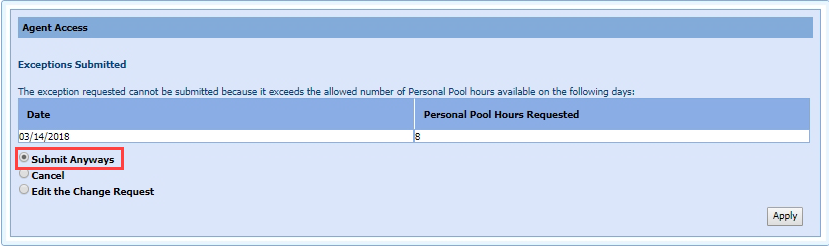
When agents submit schedule change requests, and do not have the Time Off Hours or the Personal Hours required to get the request approved, the agent has the option to submit the request anyway. Administrators can now disable agents from submitting schedule change requests when they do not have the Time Off Hours or the Personal Hours available.
The two options that can be checked or unchecked are:
Depending on the setting(s), the Submit Anyway button will be visible, or hidden in the Agent Portal.
Insufficient Time Off or Personal Hours
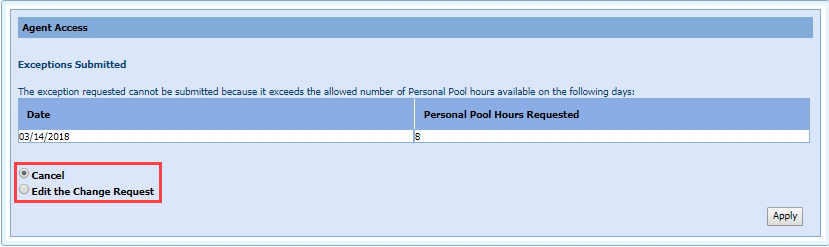
Time Off or Personal Hours Available